
Open source · self-hosted
A review queue for the knowledge gaps your AI assistant reports.
Your application can report unanswered questions over REST, or your agent can report them itself over MCP. Kebivo groups the repeats and routes each report to the people who maintain the answers.
Read the quickstartView the repository
The quickstart builds the container locally from the repository; there is no prebuilt image yet.
Read the video transcript
- An application reports a sample knowledge gap through REST, or an agent uses MCP: “Where is the VPN setup guide?”
- The report appears in the Kebivo inbox with one occurrence and an open status.
- A reviewer manually merges a related question into an existing group. Exact duplicate questions group by default.
- A configured tag rule routes the report to the inbox, email or a signed webhook. Delivery is not shown.
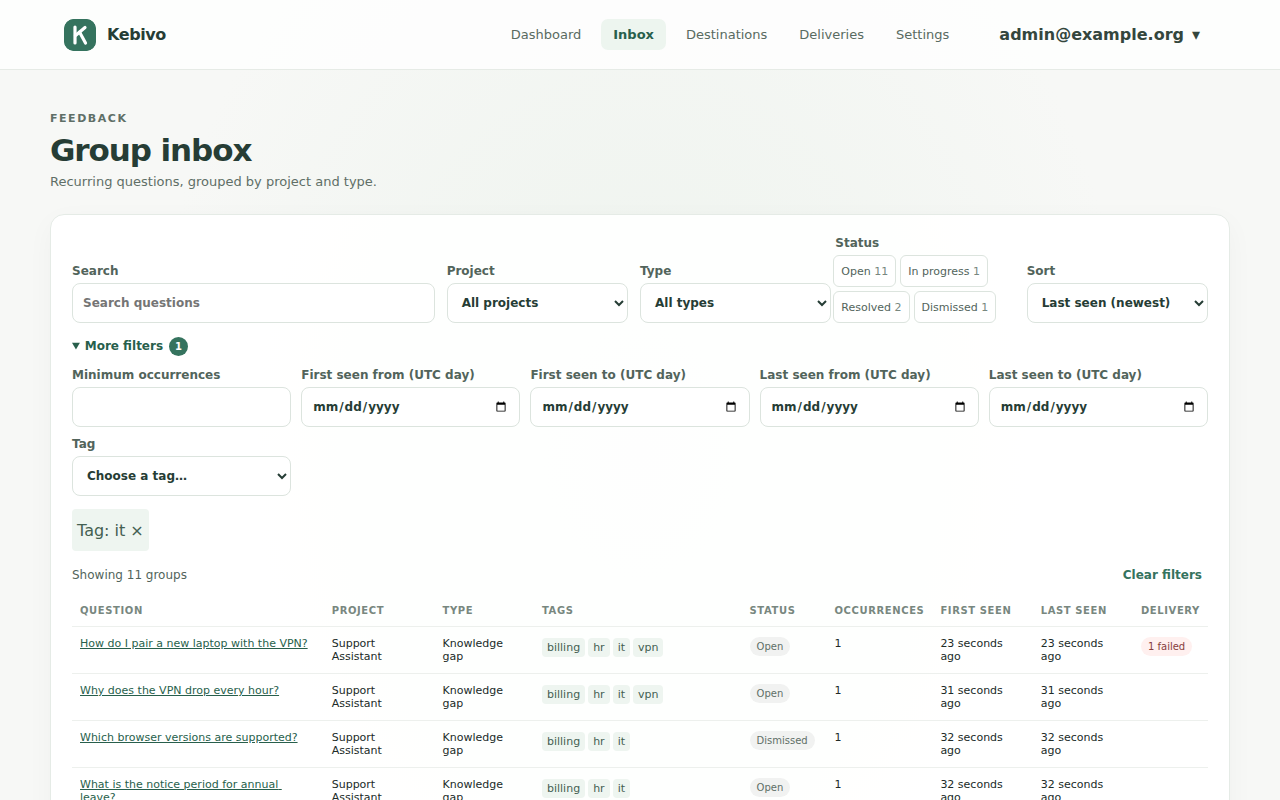
- This is the real Kebivo inbox, filled with synthetic support questions. A person reviews what needs fixing.
Unanswered questions get lost in chat transcripts
Say your assistant can't answer a VPN question, or a user points out that a policy is out of date. Even if you trace the run, the person who maintains that knowledge rarely ends up with a specific task. Kebivo gives your application or agent somewhere to report the gap, so the knowledge owner has a list of what to fix.
How a report reaches its owner
Collect a report
Submit a gap from application code through the REST API, or give an agent the MCP reporting tool. With MCP, the model decides whether to call the tool, so use REST when every gap has to be recorded.
See what repeats
Kebivo stores accepted reports and, by default, groups questions that are exact duplicates. The inbox shows counts, statuses, notes and history for each group. If you want semantic grouping, you can turn it on with a provider you configure.
Route for review
Tag rules, checked in order, send reports by email or signed webhook. Every report also stays in the built-in inbox. To get reports into an existing ticket or chat workflow, point a webhook relay at it.
Who does what
Developers
Run one container with SQLite, create a project token, and add a REST call or the MCP tool to your assistant. Each token belongs to one project, and submitting corrections needs its own scope.
Knowledge owners
Whoever owns the IT, HR, support or docs content gets the grouped questions in the inbox, by email, or through a webhook into tools they already use, and decides what to change.
Send your first gap
The quickstart builds Kebivo from the repository with Docker Compose, has you create an administrator and a project token, and sends a sample REST report. Along the way it checks that the server is ready and shows where the report appears.
Guides
Each tutorial walks through a runnable example from the repository.
Framework integration
OpenAI Agents SDK
Connect a Python OpenAI Agents SDK agent to Kebivo over MCP and verify gap reports in the inbox.
Framework integration
LangGraph with LangChain
Add Kebivo MCP tools to a LangGraph agent via LangChain, then verify gap reports in the inbox.
What Kebivo does not do
Kebivo does not answer questions, trace agent runs, or edit a knowledge base. It can run alongside your observability and evaluation tools. Corrections are off by default on new projects. When you turn them on, a proposed correction stays unverified until a person reviews it.
You don't need an LLM, a cloud account or a paid service to run the core. Reports leave your instance only through destinations you configure, or through a grouping provider if you set one up. Kebivo runs as a single instance with one administrator and a local SQLite database. The self-hosting guide covers deployment and the limits on data handling.